
If you've ever wanted to get all of the children attached to a Unity GameObject and turn them into an array, there is a simple way to do it. This tutorial shows you how to do it in simple C# code.
How To Get All Of An Object’s Children – Unity C#

If you've ever wanted to get all of the children attached to a Unity GameObject and turn them into an array, there is a simple way to do it. This tutorial shows you how to do it in simple C# code.

https://www.youtube.com/watch?v=WKwe6FqQ4hM As part of my games programming course that I am studying, we developed a proto-type 3D graphics engine in C++ using OpenGL. The excercise involved setting up all of the 3D rendering manually so that obj models and fbx models could be loaded in, setting up shaders, programming lighting with mathematical equations, experimenting with... Continue Reading →
This article explains how to loop through undordered maps in C++ and assumes you know what an unordered map is. We will use a range-based for loop, also sometimes referred to as a for each loop.
Typically PuzzleScript is used to make top down Sokoban games, like I did with Puzzledorf, but you can in fact emulate some of the elements of side-scrollers, albeit with the limited rules of puzzle script, in that it is still turn based. This tutorial will cover how to make gravity. Puzzledorf I did a bit... Continue Reading →
PuzzleScript is great fun, but wouldn't it be nice to know how to animate with it? Well, now you can with this tutorial. I also introduce the 'again' keyword, which is crucial for PuzzleScript success.
RakNet is a C++ networking engine to help you write multiplayer games. BitStream is a method for converting data such as variables into bytes to send out across the network. This article looks at how to send strings across a network from one client to the other, because it's not as simple as just sending an std::string. We will be looking at a special variable type.
For Each loops, or loops that go through every element in an array, can be written two ways in C++ and Visual Studio. I will simply show you the options and explain them.
For each loops in C# and Unity go through every element in an array or storage container and they are simple to write. Let me show you how.

So you have this idea for a great Puzzle Script game, but it involves checkpoints. You want the player to be able to reset to the checkpoint if they press reset or if they die. How do you do that? This tutorial will cover it, and it's very simple.
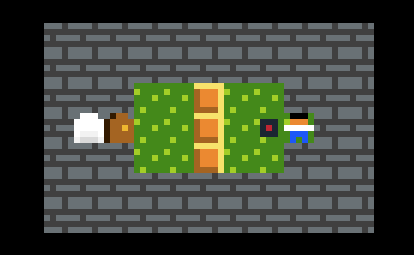
Ever wished you could check for more than one condition at a time in Puzzle Script, like is there a bomb anywhere on the stage AND a destructible block? This tutorial teaches how to check multiple conditions. It builds on knowledge from the previous beginner tutorials, which I recommend if you're new to Puzzle Script.

 Stuart's Pixel Games