

Unity Tilemaps, while not perfect, are becoming more useful all of the time. I have switched to using them for my game Puzzledorf. They work nicely with 2D lighting, among other benefits. You can see the 2D lighting in Puzzledorf below.
If you want to use the default Unity Tilemaps, but want extras like Prefab Brush, Animated Brush, Random Brush, and more, this tells you how to download the GitHUB package and install it into your project. I completed this with Unity 2019.4.40f1 LTS. It should be compatible with Unity 2017 – 2020.3, according to the supported versions in GIT Hub. Beyond that, I believe there is a new package you can download from the package manager, but I have not done this.
Download from GITHub
First, you need to download the package from GIT Hub, here: https://github.com/Unity-Technologies/2d-extras/tree/master
You will need to download the correct version for the version of Unity that you are using. To do this:
- look up the top-left where it says Master
- Click on Master
- Select the version of Unity that you are using

Then, you need to look at the top right, for the green button that says Code, click that, and then click Download Zip.

This will download a zip of the 2D extras package to your folder.
Installing It
Now extract the files, and you’ll end up with a folder something like this:

Just cut and paste that folder directly into the Assets folder of your project – not in a subfolder.
Then close and re-open your project.
Testing It
So long as you are using the correct version of the 2D extras package for your version of Unity, you should have no issues. To test it:
- Click on an existing Unity tile palette or create a new one.
- Show the Tile Palette window with Window > 2D > Tile Palette.
- Once you have a tile palette set up, select the “Brush” in your Tile Palette.
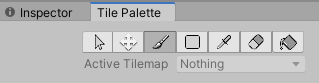
- Look down the bottom left of your Tile Palette window where it says Default Brush

- Click on Default Brush and you should now see a list of all of the available new brushes

Now you can use it!
How To Use the New Brush
I haven’t had much chance to use it yet, but Unity has some documentation here: https://docs.unity3d.com/Manual/Tilemap-ScriptableBrushes.html
And a tutorial that is currently still available here: https://learn.unity.com/tutorial/introduction-to-tilemap-scriptable-brushes#
If you liked this article, please check out Puzzledorf to show your support. If you enjoy playing, leaving a review helps the games visibility on Steam.


 Stuart's Pixel Games
Leave a comment