

When you are making a new pixel art game, how do you work out what size to make your sprites? How many pixels should you display on the screen at one time? It’s something I review every time I start a new game. With Puzzledorf, for example (seen below), I needed to consider:
- The sizes of my puzzles, particularly the largest puzzle that needed to fit on screen
- How big or small the character would look on a PC monitor vs TV monitor
- The amount of detail I wanted to put into sprites
- How much time I wanted to spend on each sprite
- How big I wanted my character to be in relation to other objects like trees and creatures
Here are some quick tips to think about.
References
The first thing you should do, if you’re not sure about sprite sizes, is find references from other games. Is there a particular game, or genre, you want to emulate the look of? Do some google searches, look at other games. Are you hoping to catch the feeling of a SNES game? Or SEGA Mega Drive? Look at games from those systems. And don’t forget that part of creating a particular feeling is using the right colour palette, of which I have some you can use here.
The graphics of my game Puzzledorf were partly inspired by the block pushing puzzles from the early Gameboy Pokemon games, so I used old Pokemon sprites for inspiration, as well as top-down sprites from random RPG games I liked the look of.
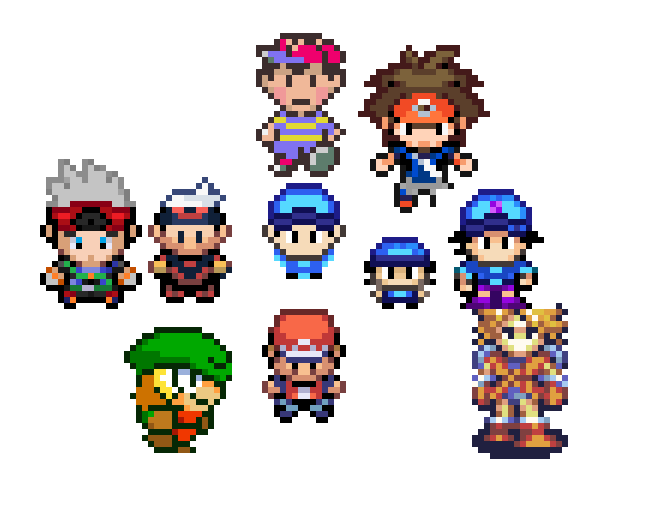
The 3 blue characters are early concepts for Puzzledorf’s hero, although 1 is unfinished. Below is the final product in-game.

A lot of great, classic animators used references, as I talk about in my article, “The Visual Design of Puzzledorf“. They key is they are “references” to get inspired by – not outright copying their designs.
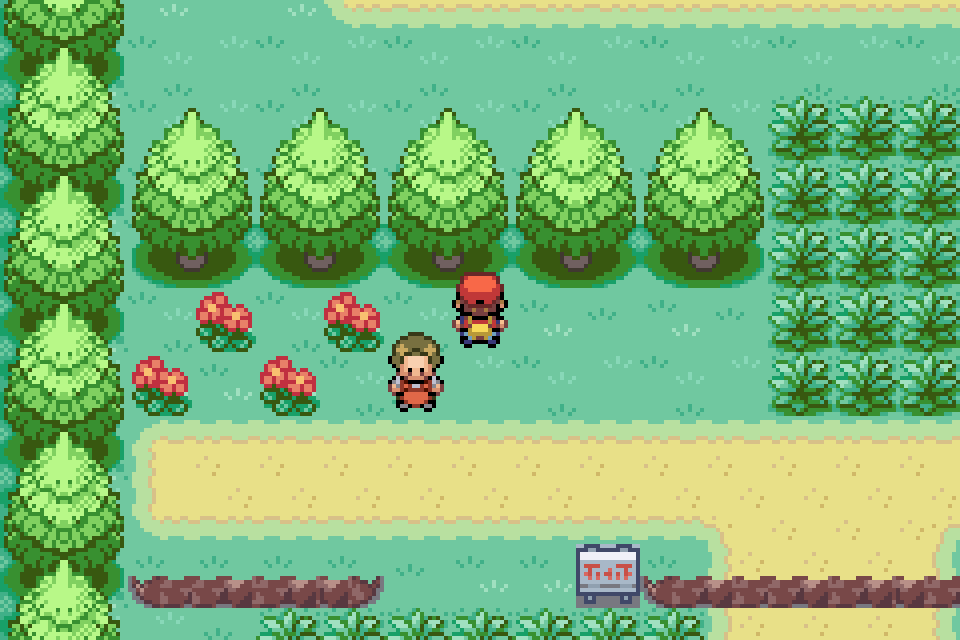
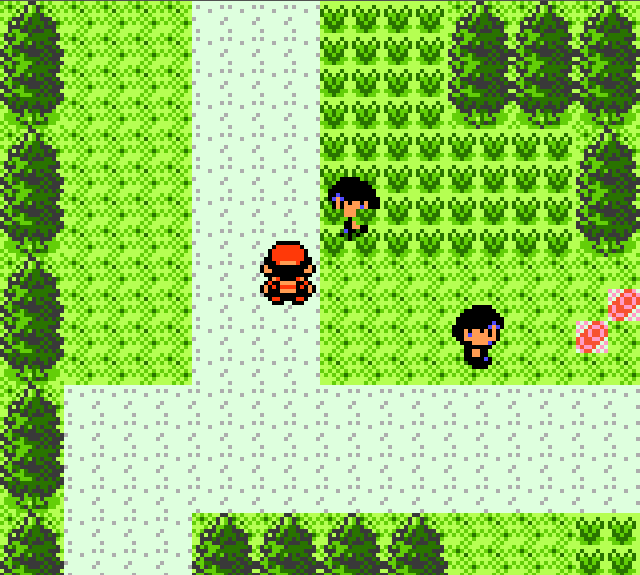
And don’t just look at references for characters. Look at references for the environment too. Again, looking at Gameboy references was very helpful to compare the character to the environment, his size against a tree, for example. I didn’t quite use the same sizes as Pokemon on Gameboy, but there was definitely inspiration. I made sure to look at both Gameboy Advance as well as the classic Gameboy.
Screen Size
With screen size, you need to think about the device your game will be played on. It’s worth considering you want your game to look good on the following screen sizes:
- 4K – 4096 × 2160 pixels
- HD – 1920 x 1080 pixels
- 1440p – 2560 x 1440 pixels
- 720p – 1280 x 720 pixels
When you are resizing pixel art, it’s best to work in whole numbers. In other words, you can make a sprite 2x bigger, or 3x bigger, or 4x bigger, but not 1.5x bigger. If you made it 1.5x bigger, the pixels would get distorted, so you need to avoid decimals. You can read more about resizing pixel art here.
240 x 135 – would be exactly 1/8 of HD, because it divides evenly into 1920 x 1080 8 times, leaving no decimal values. This would give you really crisp pixel art graphics for full HD and 4k, however, 240 x 135 does not divide evenly into 720p or 1440p.
1440 / 135 = 10.66667
This would give you distorted pixels and would look less good on devices like a Nintendo Switch that have 720p screens in portable mode. For this reason, a lot of people use 360p as their baseline, because it divides evenly into 4K and HD, as well as 720p and 1440p. So I would recommend trying one of the following as the base screen size for your game:
- 360p – 640 x 360 pixels
- 180p – 320 x 180 pixels
I actually used 240 x 135 on Puzzledorf, before I realised the power of working with 360p. It thankfully still works because of some funky code that helps things to resize better for resolutions other than HD and 4K, but it took a lot of work to get there. It’s so much better to just work on screen sizes based around 360p, which is what I will be doing for future projects.
Below is how Puzzledorf looks in HD.

So I suggest when picking a screen size, try and work out if it divides evenly into all of the common device formats listed above.
Also before I make a final decision about sprite and screen sizes, I like to take a screenshot and look at it on a big screen TV. That way I know it doesn’t just look good on my PC monitor, which is a lot smaller than my PC, but I know that it will also look good when blown up.
A lot of TV’s will let you look at pictures on a USB stick. If you can’t swing that, you could just upload it as a video on Youtube on a private account and view that, and there are other ways.
Final Look
Don’t forget – your initial concepts may look fine on the big screen, but before you get too committed to an art style, make sure you look at some proper mock ups with graphics that look close to what the final product could look like. That way you know you’re really confident with those sprite sizes and art style. There’s nothing worse than being a long way into a project, only to want to redo all your art.
For the same reason, try and nail sprite sizes down early on so you don’t have to stress about redoing a lot of code / engine design later. Having said that, getting some fun prototypes going before you marry yourself to an art style is also a good way to make sure what you’re working on is fun before you waste time making a ton of art.
If you liked this article, please check out Puzzledorf to show your support. If you enjoy playing, leaving a review helps the games visibility on Steam.


 Stuart's Pixel Games
Leave a comment